 Voxly Vision
Chrome extension
Check any ad without leaving the page
The Voxly Vision Chrome extension checks the web page, social post or ad you're looking at against the codes and your brand rules. One click, a clear verdict, right in your browser.
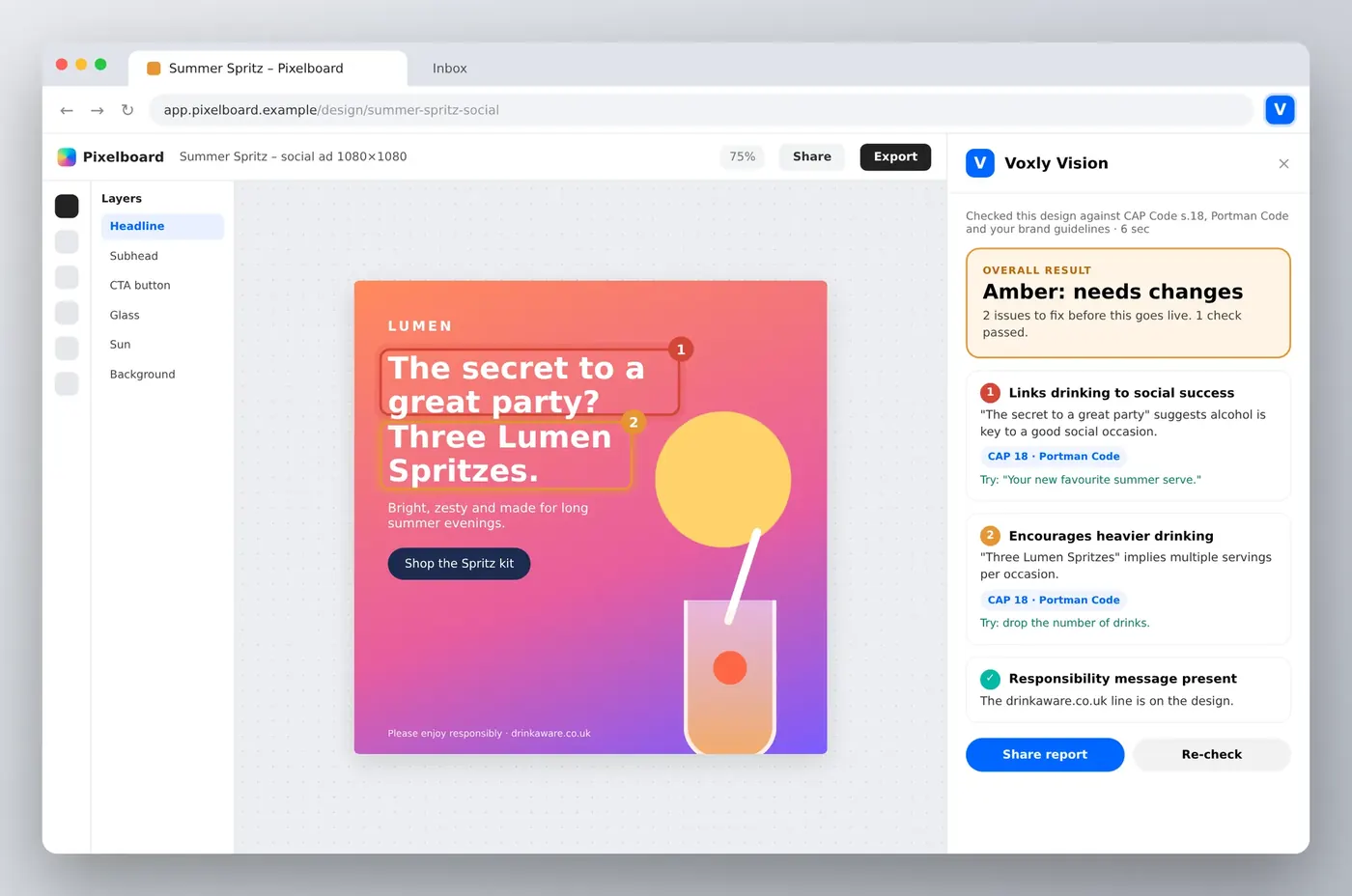
Open a page, click the V, and the side panel shows the verdict, flags each issue on the page and suggests a fix.
Why this matters
Most compliance problems are hiding in plain sight. On a staging page. In a draft post. On a retailer's site you didn't build.
- Screenshots, everywhere. Someone grabs the page, pastes it in an email, waits for legal. Repeat until launch.
- Live pages slip through. Retailer listings, partner pages and old landing pages rarely get a second look.
- Context gets lost. A line of copy looks fine in a doc. Next to the image and the CTA, it's a different story.
How it works
- One click. Open the side panel and Voxly Vision reads the whole page: copy, images and calls to action.
- Issues pinned to the page. Each finding is highlighted where it sits, with the rule at stake and a suggested fix.
- Works anywhere you can browse. Staging sites, live pages, social posts in the browser, retailer listings.
- Share the report. Send it to your team or attach it to the asset as a record of the check.

Set up in minutes
- Add it to Chrome. Install the Voxly Vision extension from the Chrome Web Store.
- Sign in. Use your Voxly Vision account, so your brand rules and codes come with you.
- Click the V. Open any page and hit the Voxly Vision icon in your toolbar. Your first report is ready in seconds.
Built with Diageo
We spent around two years building an AI compliance agent with Diageo's marketing team. Escalated ads could take three days or more to get full sign-off. Voxly Vision is built on what we learned.
Who it's for
Made for your whole team




Frequently asked questions
What can it check?
Any page you can open in Chrome: websites, staging links, retailer listings and social posts viewed in the browser.
Does it use our own rules?
Yes. Your brand and responsible marketing guidelines are applied alongside CAP, BCAP and sector codes.
Can IT roll it out centrally?
Yes. Your IT team can deploy the extension to everyone through Chrome's managed settings.
Does it make the final call?
No. It does the first pass. A person always signs off.
See it on your own creative
Bring a campaign you're working on. We'll run it through Voxly Vision live in a 30-minute demo.
Book a demo